04/13/2026
What happens when you give AI the right context and stay in the loop.
The Problem: After taking a step away from my training, I wanted to get back into a routine without hiring a running coach or building a plan from scratch.
The Result: I saved an estimated $150-$300, completed this in one hour and have a personalized plan to my exact body metrics.
The Process: How I built and refined my prompts and what I learned along the way.
Step 1: Building the Research Foundation.

I started by giving Claude detailed context about my body metrics, training frequency, and local climate. The output gave me a strong research foundation:
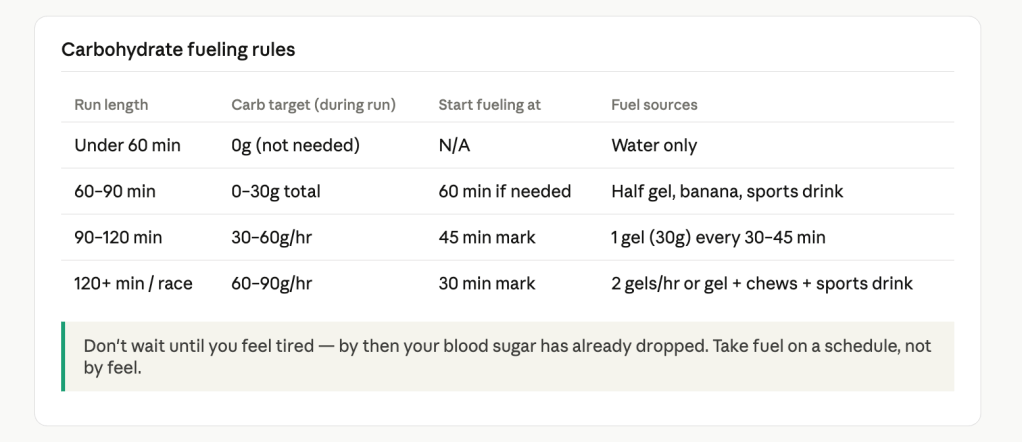
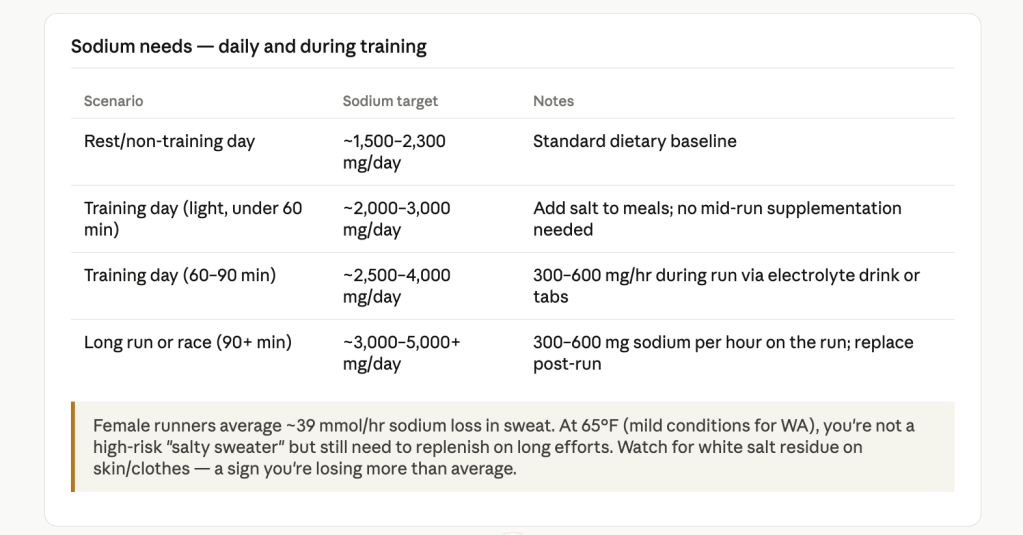
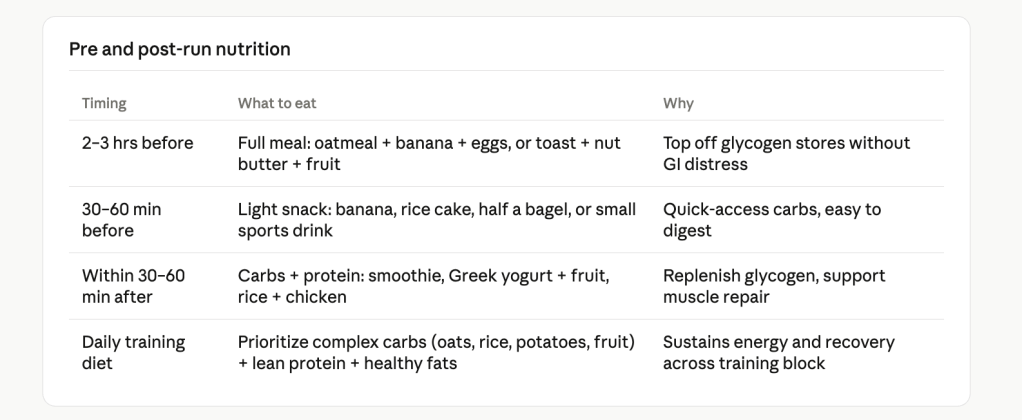
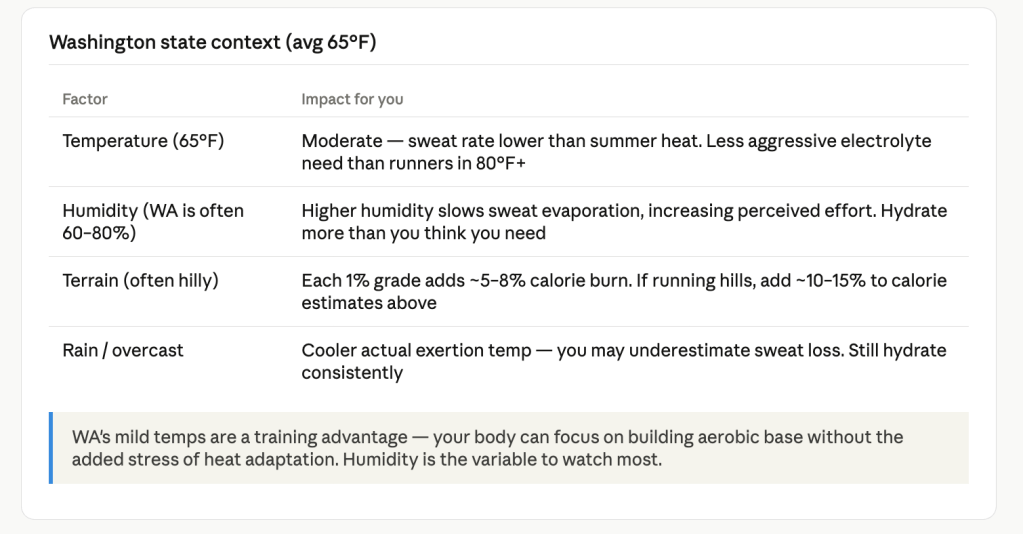
Step 2: Refining the Pace Data.

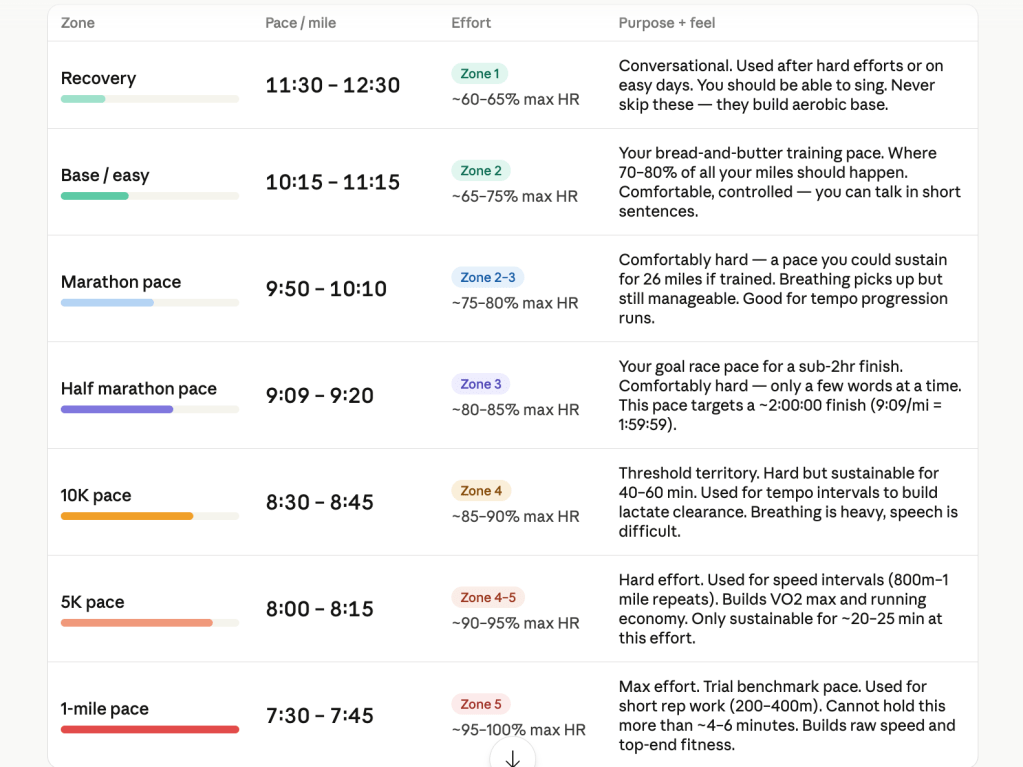
Step 3: Now that I had my research data complete, I needed to structure that data into something clear and easy to read.
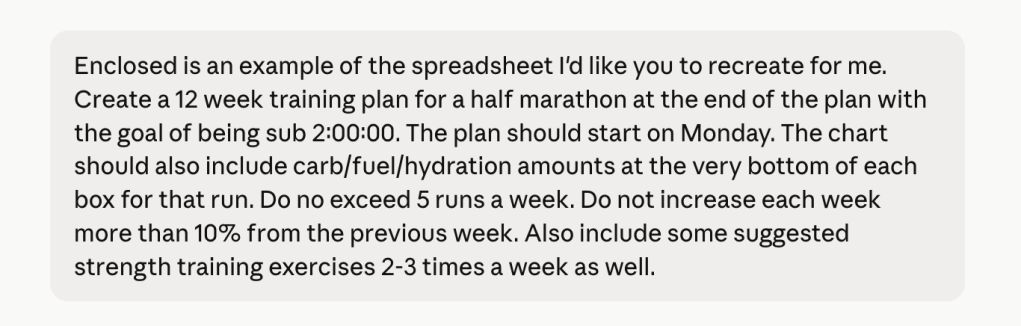
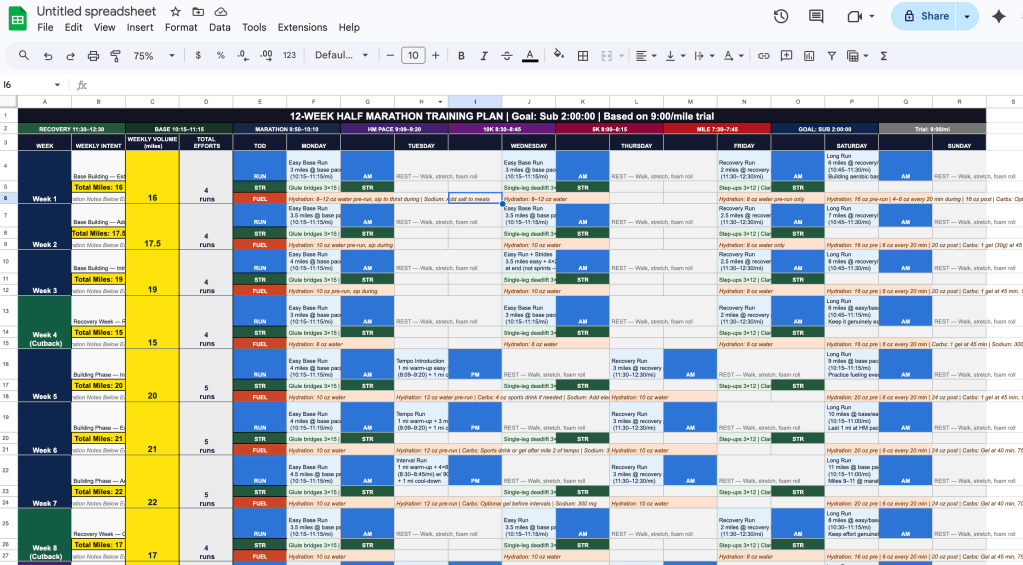
The first attempted schedule was created:
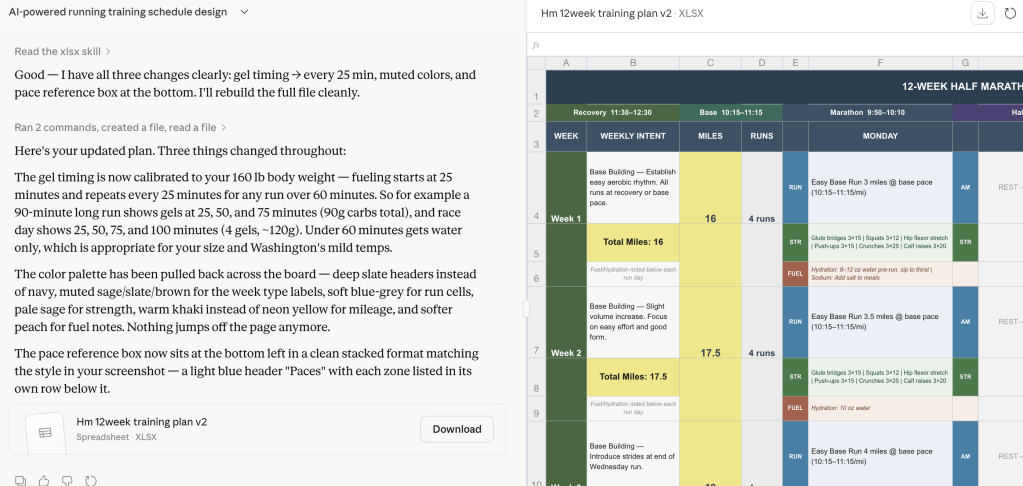
More iteration was needed on my part:
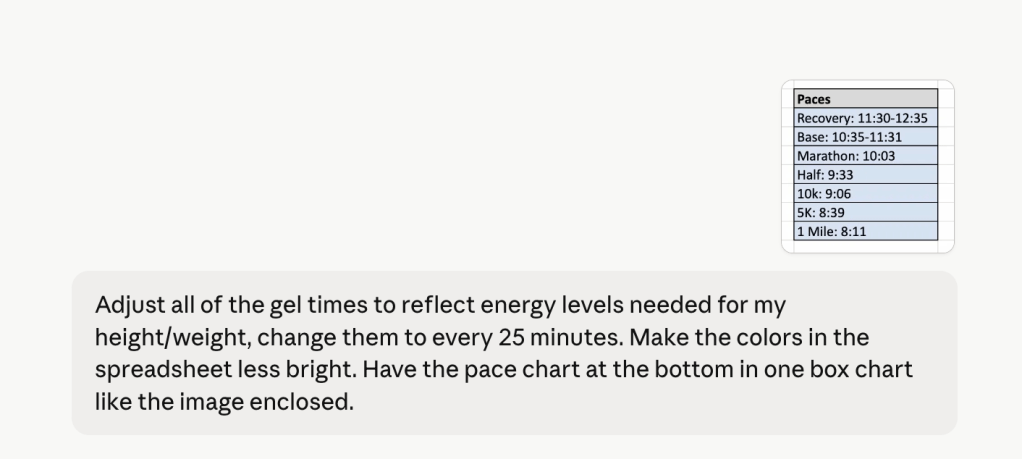
I was getting close, but noticed some slight inconsistencies that made me pause so I prompted and asked:

Claude’s response emphasizes why it’s vital to have a human in the loop. I caught an inconsistency and needed clarification as to why it happened.

Before: Claude’s initial output (unedited).
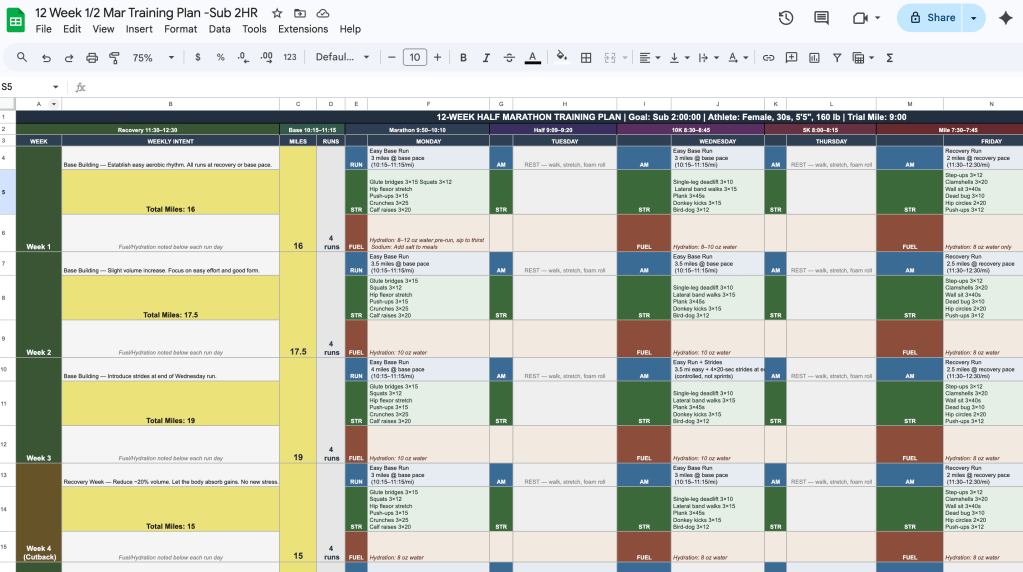
After: I made edits within the spreadsheet so it looked cleaner and easier to read.
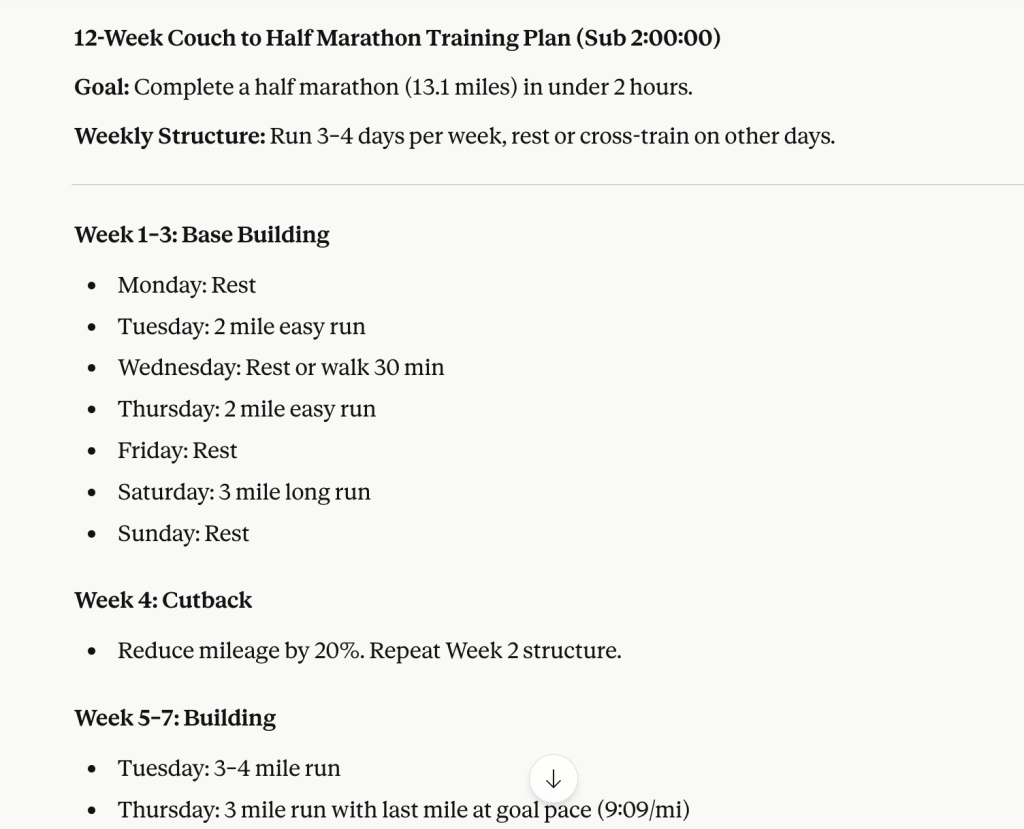
The final prompt I entered was a vague 12 week half marathon training plan request.

The results were straightforward but lacked any imagination.
The Output: The actual training schedule with pace chart and nutritional information specific to my age, weight, height, and where I’m currently at, not where my goals are.
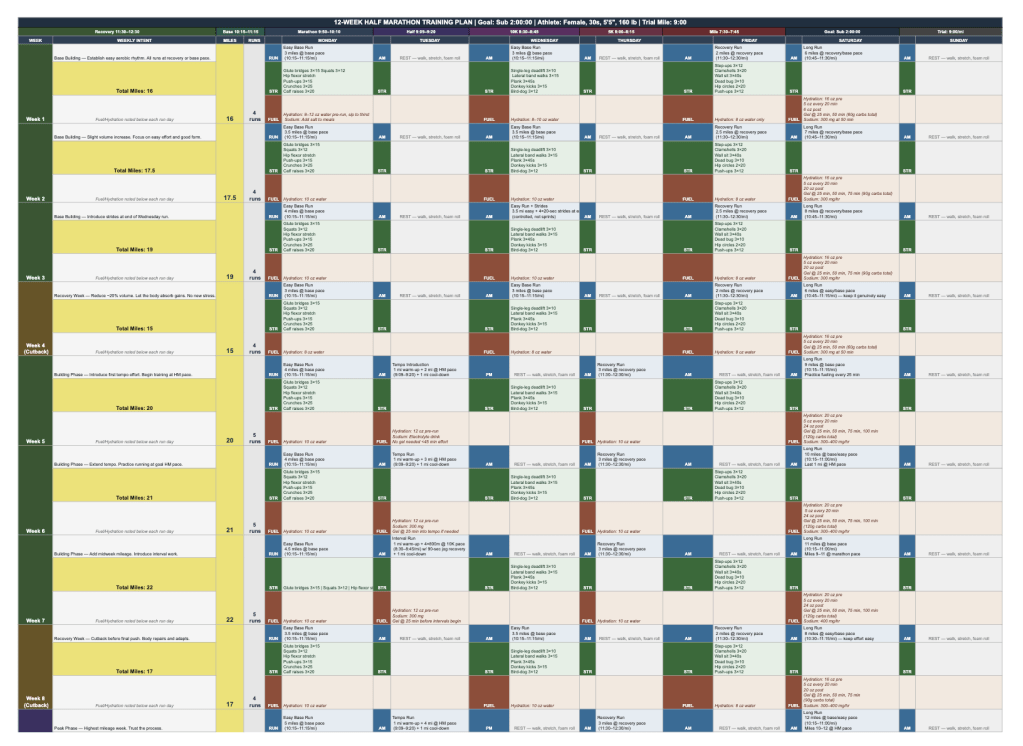
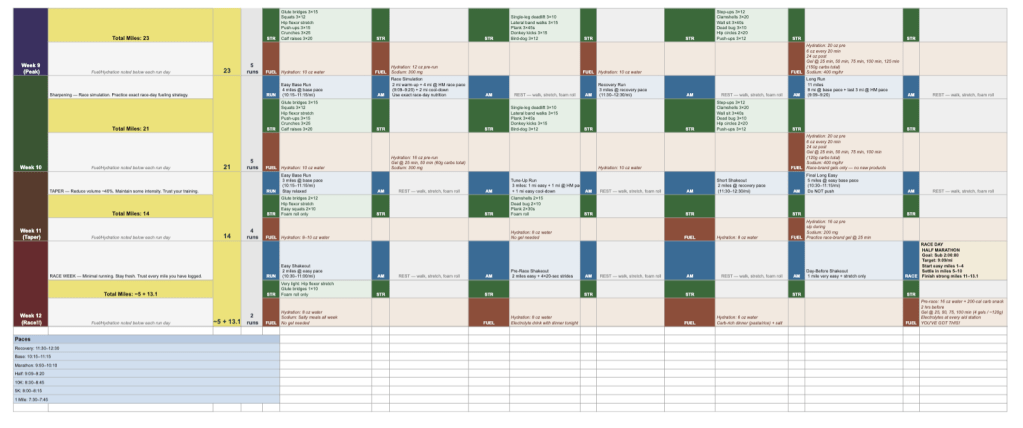

Biggest Takeaway: The structured prompting worked well to produce a plan personalized to my exact body metrics, the climate, fueling needs, etc. I adjusted the spreadsheet after pasting it into Google Sheets and caught and corrected an output error along the way. This entire case study saved me an estimated $150-$300 and only took one hour to complete.
The vague prompt produced a generic training outline that I feel many people and runners assume is all that generative AI is capable of.
Tools Used: Claude and Google Sheets
Skills: Iterative Prompting • AI Prompt Engineering • Data Interpretation • Systems Thinking • Human in the Loop • Generative AI Application
 Systems for Real Life